 Analysis by Gamescozy
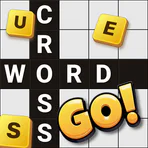
I like word games that let me settle into a puzzle without first learning a complicated set of rules. Crossword Go! aims for that approachable kind of session: it is a crossword game from PlaySimple Games, built around clues that are meant to be enjoyable alone or with other people. Its simple premise is appealing, but the real question is whether that simplicity gives you enough to return to it regularly. In my view, it works best as a friendly, low-pressure word game rather than as a replacement for a challenging newspaper crossword.
How a typical puzzle session feels
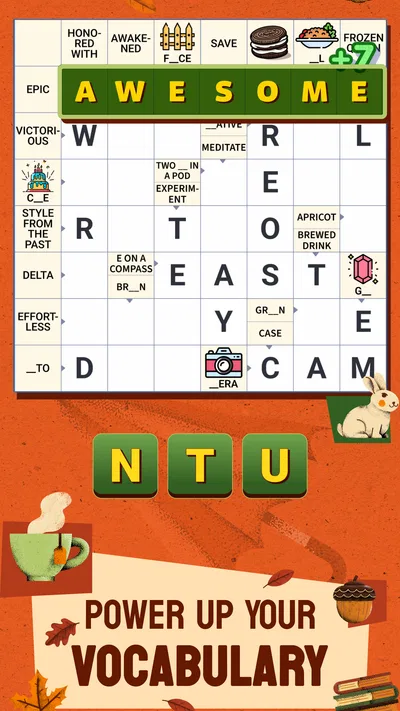
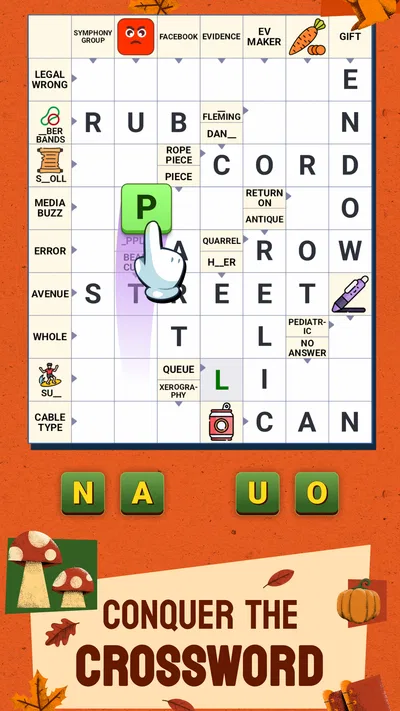
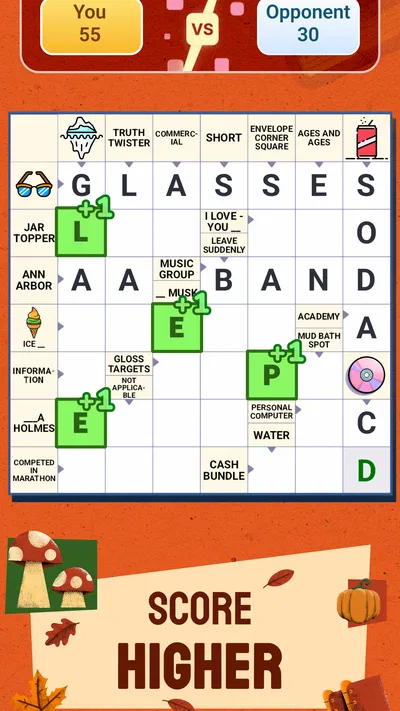
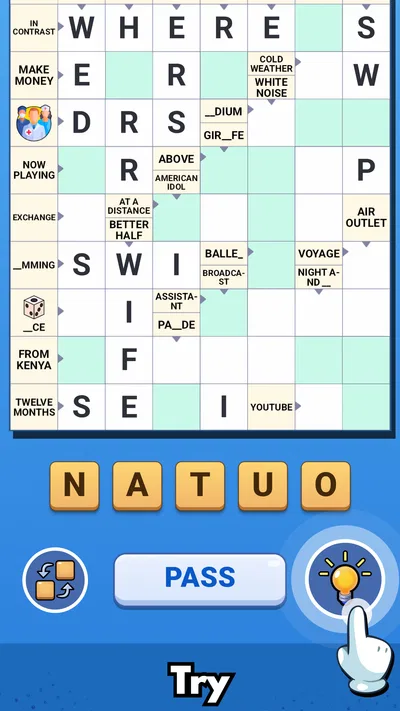
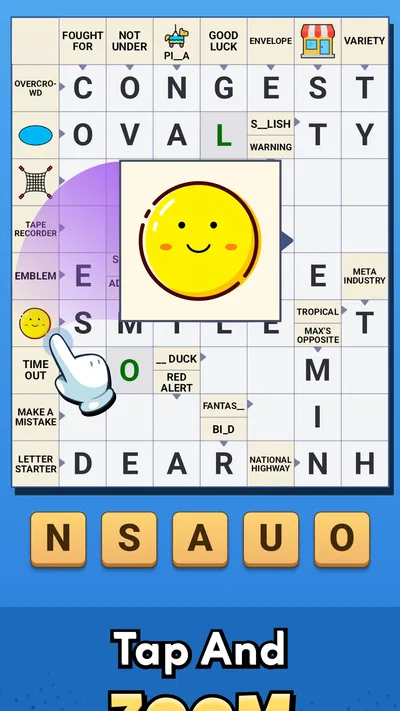
The basic rhythm is easy to understand: read a clue, think of a fitting answer, and use the crossing words to check your guess. That familiar structure makes Crossword Go! approachable even if you have not played a crossword game on your phone before. I would be comfortable handing it to a casual word-game player without needing to explain a long list of mechanics first.
That low barrier is useful in ordinary gaps in the day. I can imagine opening it while waiting for a coffee, taking a few minutes over a clue, and leaving the rest for another moment. Crossword puzzles reward returning to a half-solved grid with fresh eyes, so a short session does not have to feel like a failed attempt to finish everything at once.
The clues are described as clever, which points toward a little more thought than simply matching a definition to a familiar word. That is where the format can be satisfying: one answer may prompt an idea, while the letters from crossing entries help confirm or challenge it. I recommend treating uncertain guesses as provisional in your own mind. Thinking through the crossings before committing helps keep the puzzle enjoyable, especially when a clue has more than one plausible interpretation.
The game is rated for Everyone, which makes it a reasonable option to consider for a mixed-age household. That does not mean every clue will suit every player equally; vocabulary, cultural references, and experience with crosswords still matter. If you are playing together, the most fun approach is often to say your reasoning aloud and let another person offer a different possibility, rather than turning the grid into a race.
Make a repeatable routine, not a rushed run
For a more reliable solving habit, I would begin with clues that feel immediately clear, then use their letters to revisit the harder entries. This is a practical crossword technique, not a special feature: each confirmed answer gives context to nearby spaces. It also reduces the temptation to stare at one stubborn clue until the whole session feels stuck.
A useful variation is to switch between across and down clues when progress slows. If an answer seems plausible but does not help its crossing words, pause before forcing it. A mismatched crossing is often a sign that the first interpretation was too narrow, not that the puzzle is unfair. This small habit makes the game feel more like deduction and less like random guessing.
For a shared session, one person can read a clue while the other suggests possible meanings, then both can check the result against the intersecting answers. This works particularly well when players have different strengths: one may know a broad range of words, while another spots wordplay or notices that a proposed answer does not fit the available letters. The social value comes from comparing ideas, not from assuming everyone will solve at the same speed.
Check the practical details before settling in
Because this is a mobile crossword game, I would check the available settings and controls before making it part of a daily routine. Look for options that affect how comfortable it is to read and enter answers, and adjust only what you actually need. I would not assume a particular accessibility control or shortcut is present; the useful habit is to inspect the in-game options once, rather than repeatedly interrupting a puzzle to search for a setting later.
It is also worth taking a moment to understand how the game handles an answer entry before attempting a difficult clue. A wrong guess can be frustrating if you are not sure whether the issue is your interpretation or the way the answer was entered. A short test on an easy clue helps establish the interaction pattern, leaving more attention for the wordplay afterward.
The app is free to download, with in-app purchases listed from $0.99 to $49.99 per item. I would start without spending and decide from actual play whether any optional purchase is worthwhile to me. For a casual player, the sensible question is not whether purchases exist but whether the free experience already fits the amount of puzzle time they want. Anyone who prefers a strictly no-purchase environment should review the purchase options carefully before handing over a device.
The game’s current version is 1.84.0, and it requires Android 8.0 or later. Those details matter if you are checking compatibility on an older phone. Its release date is April 16, 2025, so it is a relatively recent entry in a well-established genre. I would still judge it by whether the controls and clue style suit me, rather than assuming that a newer release automatically offers a better crossword experience.
What helps experienced players move more efficiently
The best speed improvement is usually a change in solving order, not a shortcut. I start with the clues where I can explain the answer in a few words, then use the resulting letters to narrow down less obvious entries. If a clue invites several answers, I keep them as mental candidates and compare their crossings. This avoids locking onto the first word that sounds right.
Another helpful habit is to notice what kind of clue is being asked before searching for an answer. Is it a direct definition, a synonym, or a prompt that seems to rely on a less literal reading? Crossword Go! is presented as a game with clever clues, so allowing for a twist can be more productive than repeatedly trying near-synonyms. I find it useful to paraphrase the clue in plain language; that can reveal whether I am answering the wording or merely reacting to a familiar keyword.
For a session that may be interrupted, I would choose a stopping point deliberately. Finish a small cluster of answers or leave one clear clue in mind to restart with. That makes it easier to resume without rereading the whole puzzle and keeps a quick break from turning into an obligation. It is a simple workflow, but it suits a phone game better than expecting every play session to end with a completed grid.
The game has an average rating of 4.9 from around 75,000 ratings, and it has passed one million installs. Those figures suggest that many players find its accessible approach appealing, but they cannot tell me whether its clue style matches my own taste. I would use them as a reason to consider trying it, not as proof that every puzzle will be equally engaging for a veteran solver.
Where the easy approach has limits
Approachability can also mean that a dedicated crossword fan may want more depth than this game’s pitch promises. If your ideal puzzle involves dense wordplay, obscure vocabulary, or a demanding grid that takes sustained concentration, a specialist crossword app or a traditional puzzle source may be a better fit. Crossword Go! makes more sense when you want an easy entry point and a relaxed pace, not when you are specifically seeking the toughest challenge available.
The social framing is appealing, but it does not guarantee that every group will enjoy solving together. A confident player can dominate by calling out answers quickly, leaving others with little to contribute. I would take turns reading clues or ask each person to explain a candidate answer before filling it in. That keeps the shared element conversational and gives less experienced players room to participate.
There is also a difference between a clever clue and a clue that feels opaque to you. If you regularly find yourself guessing without enough crossing letters to make progress, the game may not match your preferred level of guidance or difficulty. Rather than pushing through a frustrating session, I would take a break and return later. If the same pattern persists, a more conventional word-search game or a crossword with a difficulty level that better suits you may be a happier choice.
As with many free mobile games, the presence of optional purchases is worth keeping in mind even when you do not intend to buy anything. I would set expectations before a child or another family member plays: the game costs nothing to download, but optional items have prices. That clear distinction makes it easier to enjoy the puzzles without treating every offer as part of the core experience.
Who I would recommend it to
I would recommend Crossword Go! to people who enjoy word games but want a gentler alternative to a demanding crossword. It is particularly suitable for brief, repeatable sessions, for someone building confidence with crossword clues, or for friends and family who enjoy talking through possible answers. PlaySimple Games has chosen a format that is familiar enough to start quickly, while the clue-solving gives each session a reason to think rather than merely tap.
I would be more cautious about recommending it to experienced solvers who judge a crossword mainly by difficulty, or to players who want a game that is explicitly designed around long, uninterrupted sessions. The best fit depends on whether you value accessible clues and flexible play more than a strenuous test of vocabulary. If you already know that you prefer cryptic or highly demanding puzzles, you will probably be happier with a more specialized alternative.
For someone deciding whether to install it, the practical answer is straightforward: try the free game, check that its controls suit your phone, and play a few short sessions before considering any purchase. The age rating is Everyone, and the app’s word-game format is easy to explain, but the most important test is whether its clues make you curious rather than impatient.
My verdict is that Crossword Go! is a welcoming choice for casual crossword fans who want a puzzle they can pick up in spare moments and sometimes share with another person. Its strongest quality is the straightforward route from clue to crossing letters; its main trade-off is that an accessible style will not satisfy every player looking for serious difficulty. I would keep it in mind for relaxed word-game breaks, while choosing a specialist crossword elsewhere when I want a more demanding workout.